DeepInfra raises $107M Series B to scale the inference cloud — read the announcement
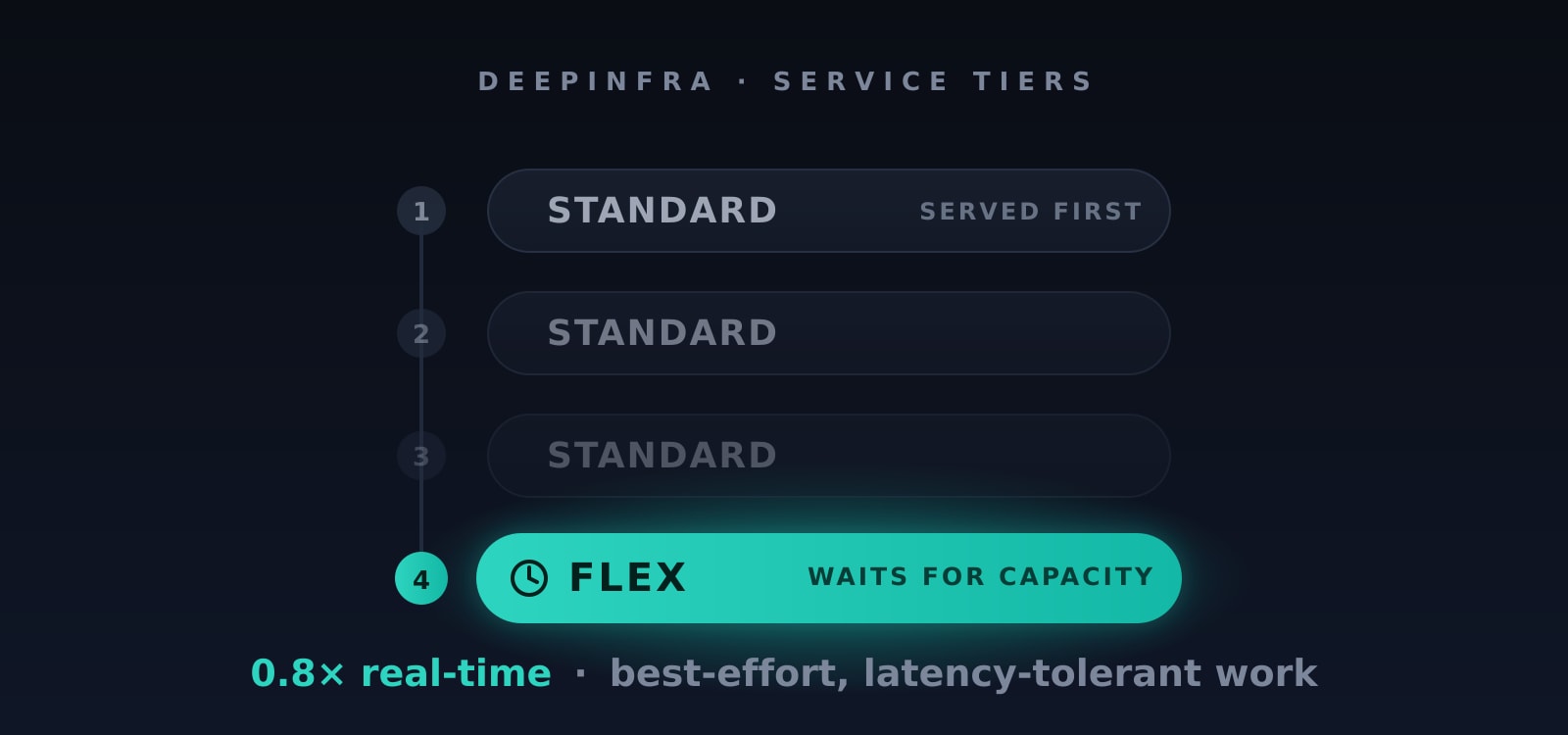
Not every request needs an answer this second. Evaluations, data enrichment, offline pipelines, and other asynchronous jobs care far more about cost than latency. The new Flex service tier runs that work at 0.8× the real-time price — 20% off — in exchange for slower, best-effort scheduling. It's a single OpenAI-compatible field on the request: no separate endpoint, no new API to learn — and it's still a plain synchronous request, not an offline batch job. It mirrors OpenAI's own service_tier: "flex" — the same field with the same intent — so if you already send flex requests to OpenAI, moving that latency-tolerant work here is a one-line change.
Why Flex?
Real-time pricing pays for capacity that's ready the instant you call. If your workload can tolerate waiting, you shouldn't have to pay for that readiness. Flex is built for the jobs where throughput and cost matter more than time-to-first-token:
- Model evaluations and benchmarks — large batches you kick off and collect later.
- Data enrichment and labeling — classifying, extracting, or summarizing across big datasets.
- Asynchronous and non-production workloads — anything queued, retried, or run overnight.
You opt in per request by setting service_tier to "flex". Leave it off and your request runs at the standard real-time tier and price, exactly as it does today — Flex is purely additive.
How It Works
One field. Add "service_tier": "flex" to any chat or completions request. Flex requests are best-effort:
- Cheaper — billed at 0.8× the model's standard per-token price.
- Patient — when a model is busy, a flex request waits up to 10 minutes for available capacity, then either runs or is rejected with an HTTP 429. Use it for work you can retry, not interactive traffic.
- Only billed when served — if a flex request is rejected (a 429 after the wait), you're not charged for it at all. You pay only for requests the model actually handles.
Flex is still a synchronous request. Unlike an offline batch job, your API call behaves like any normal request — it blocks until the model responds (or the wait window expires) and returns the completion inline. Same request, same response shape; only the scheduling and price change.
When a model has spare capacity, flex requests are served right away. The trade-off only shows up under load — flex yields to real-time traffic instead of competing with it.
Supported Endpoints
/v1/chat/completions/v1/completions
Everything works through the standard OpenAI-compatible API you're already using.
Pricing
Flex is billed at 0.8× the corresponding real-time price — a 20% discount, applied automatically, with no extra configuration.
The important part: if a flex request isn't handled, it isn't billed. A request that waits out the window without capacity and returns a 429 costs you nothing — you're only charged for requests the model actually serves. (Send flex to a model that doesn't support the tier and it's served at the standard tier and price instead.)
Supportability Today
Flex is rolling out across our catalog. You don't have to guess which models qualify: every model that supports flex carries a Flex tag on its model page, so you can see at a glance whether a model honors the tier before you send a request.
And you can always confirm it programmatically: send a request with service_tier="flex" and check the echoed service_tier on the response. If it comes back "flex", you're getting the discount; if it comes back "default", the model isn't flex-enabled yet and you were charged the standard price.
Get Started
Using the OpenAI Python client — just add service_tier="flex" and read it back off the response:
from openai import OpenAI
client = OpenAI(
api_key="$DEEPINFRA_TOKEN",
base_url="https://api.deepinfra.com/v1/openai",
)
resp = client.chat.completions.create(
model="meta-llama/Meta-Llama-3.1-8B-Instruct",
messages=[{"role": "user", "content": "Classify this review as positive or negative: ..."}],
service_tier="flex",
)
print(resp.choices[0].message.content)
print("served as:", resp.service_tier) # "flex" when the discount was applied
Or with curl — service_tier is just another field in the JSON body:
curl https://api.deepinfra.com/v1/openai/chat/completions \
-H "Authorization: Bearer $DEEPINFRA_TOKEN" \
-H "Content-Type: application/json" \
-d '{
"model": "meta-llama/Meta-Llama-3.1-8B-Instruct",
"messages": [{"role": "user", "content": "Classify this review as positive or negative: ..."}],
"service_tier": "flex"
}'
The service_tier field on the response tells you which tier actually served the request.
Trade latency for savings
See the Service Tier documentation for the full reference, and start moving your latency-tolerant work to Flex.
 Kimi K3 Pricing, Providers & Real-World Costs<p>Kimi K3 matters because it pushes an unusual combination into the same decision: open weights, a 1 million token context window, and frontier-class benchmark numbers, but at pricing still high enough to force real provider shopping. Released by Moonshot AI on July 16, 2026, it is a 2.8 trillion parameter Mixture-of-Experts model with 104 billion […]</p>
 Building Efficient AI Inference on NVIDIA Blackwell PlatformDeepInfra delivers up to 20x cost reductions on NVIDIA Blackwell by combining MoE architectures, NVFP4 quantization, and inference optimizations — with a Latitude case study.
 Inference Economics: True AI Costs at Scale<p>Most teams discover their inference economics the same way: a production bill arrives that looks nothing like the number they expected. The per-token price seemed small enough during testing. Then real traffic showed up, agents started chaining calls, RAG pipelines bloated the context window, and suddenly the math looked completely different. Token prices have fallen […]</p>




© 2026 DeepInfra. All rights reserved.