DeepInfra raises $107M Series B to scale the inference cloud — read the announcement
Many workloads send the same large context on every call — an agent's system prompt and tools, a long conversation, or a document a user asks many questions about. Prompt Cache Retention lets you keep that context's cache resident for a window you choose — 5 minutes or 1 hour — with a one-line addition to your request. While it's retained, every reuse skips prefill for a faster time to first token and is billed at the discounted cache-read rate. Holding the cache costs a small write premium upfront.
Why Retention?
Inference engines already cache prompt prefixes when they can, but that cache is best-effort: under load, older entries are evicted and the next request pays full price to recompute the whole prompt. Retention removes that uncertainty — you decide what stays cached, and for how long. It's built for workloads that reuse a large context repeatedly:
- Agents & tool use — a large system prompt plus tool schema reused on every step.
- Multi-turn chat — a long conversation or persona carried across turns.
- Document Q&A / RAG — many questions against the same document or corpus.
The larger and more frequently reused your context, the bigger the latency and cost savings.
How It Works
Add two fields to any Chat Completions or Text Completions request:
prompt_cache_key— a stable identifier for the context you're caching (for example a session or agent id). Reuse is matched on this key plus the prompt content.prompt_cache_options—{ "mode": "explicit", "ttl": "5m" | "1h" }to retain the prompt for that window.
The first request carrying a ttl writes the cache and starts the clock. Later requests that send the same prompt_cache_key reuse it — at the cache-read rate — for as long as the window is alive. Retention is scoped to your account and works with streaming and non-streaming, chat and text-completions.
Supported Endpoints
POST /v1/openai/chat/completionsPOST /v1/openai/completions
Examples
1. Retain a prompt for an hour
POST https://api.deepinfra.com/v1/openai/chat/completions
{
"model": "nvidia/NVIDIA-Nemotron-3-Ultra-550B-A55B",
"messages": [ "... your large, reused context ..." ],
"prompt_cache_key": "agent-session-123",
"prompt_cache_options": { "mode": "explicit", "ttl": "1h" }
}
The context is now cached for one hour. This first call still prefills (and is billed the retention write premium on the cached portion). The response reports what was retained in usage.prompt_tokens_details:
{
"id": "chatcmpl-...",
"object": "chat.completion",
"choices": [ "..." ],
"usage": {
"prompt_tokens": 34375,
"total_tokens": 34495,
"completion_tokens": 120,
"prompt_tokens_details": {
"cached_tokens": 0,
"cache_write_tokens": 32768
}
}
}
cache_write_tokens is the portion that was written to cache and billed at the retention write rate; the remainder is billed as standard input.
2. Reuse it — at the cache-read discount
Send follow-up requests with the same prompt_cache_key and no ttl. They reuse the retained cache: no prefill, and the reused tokens are billed at the cache-read rate.
{
"model": "nvidia/NVIDIA-Nemotron-3-Ultra-550B-A55B",
"messages": [ "... same context + a new question ..." ],
"prompt_cache_key": "agent-session-123"
}
Now cached_tokens reports the reused prefix (billed at the cache-read rate) and cache_write_tokens is 0 — no new cache was written:
"usage": {
"prompt_tokens": 34380,
"total_tokens": 34475,
"completion_tokens": 95,
"prompt_tokens_details": {
"cached_tokens": 32768,
"cache_write_tokens": 0
}
}
3. Retain only the stable prefix (cache breakpoint)
Most prompts are a stable prefix (system instructions, tools, a document) followed by a variable tail (the user's actual question). You usually only want to retain the stable part. Mark where the reusable prefix ends with a prompt_cache_breakpoint on a content part — retention then applies to everything up to and including that part, and ignores the variable remainder.
{
"model": "nvidia/NVIDIA-Nemotron-3-Ultra-550B-A55B",
"messages": [
{ "role": "system", "content": [
{ "type": "text",
"text": "... large stable system prompt, tools, and reference context ...",
"prompt_cache_breakpoint": { "mode": "explicit" } }
]},
{ "role": "user", "content": "... the variable question — not retained ..." }
],
"prompt_cache_key": "agent-session-123",
"prompt_cache_options": { "mode": "explicit", "ttl": "1h" }
}
This keeps your retained cache stable across requests even as the question changes, so every follow-up reuses the same prefix.
4. Extend the window
To keep the cache alive past its original expiry, send a request with a ttl again — it reuses the cache and pushes the deadline out. A shorter ttl sent inside a longer window never shortens it.
{
"model": "nvidia/NVIDIA-Nemotron-3-Ultra-550B-A55B",
"messages": [ "... same context ..." ],
"prompt_cache_key": "agent-session-123",
"prompt_cache_options": { "mode": "explicit", "ttl": "1h" }
}
Pricing
Relative to the model's standard input price:
| Action | Rate |
|---|---|
| Reuse a retained prefix (cache read) | model's cache-read rate (e.g. 0.2× input for Nemotron-3-Ultra) |
| Retain for 5 minutes (cache write) | 1.25× input |
| Retain for 1 hour (cache write) | 2.0× input |
| Non-retained input | 1× (standard) |
Only whole cacheable blocks count as cache read/write; any remainder is billed as standard input. The write premium applies only when a request actually creates or extends the retention window — reuse inside a window you've already paid for is billed at the read rate.
Supportability Today
Available on select large-context models — NVIDIA Nemotron-3-Ultra-550B-A55B and Moonshot AI Kimi-K2.7-Code — with more to follow. You can verify retention on any request from the usage field of the response: prompt_tokens_details.cache_write_tokens shows how much was retained, and on later calls prompt_tokens_details.cached_tokens shows how much was reused.
You can also rely on a few guarantees:
- Retention is scoped to your account and
prompt_cache_key. - A shorter
ttlsent inside a longer window never shortens it; a longerttlextends it. - After the window expires, reuse falls back to standard input pricing — no silent charges.
Pay once, reuse fast
Add a ttl to your next request, reuse the same prompt_cache_key, and skip the prefill on every call that follows. See the Prompt Cache Retention documentation for the full reference.
 Introducing the Batch API: Run Large Inference Jobs 20% CheaperDeepInfra's new Batch API lets you submit large volumes of completions, chat, and embedding requests as a single asynchronous job—processed within 24 hours at 20% off real-time pricing. It's fully OpenAI-compatible, so if you've used OpenAI's Batch API, you already know how it works.
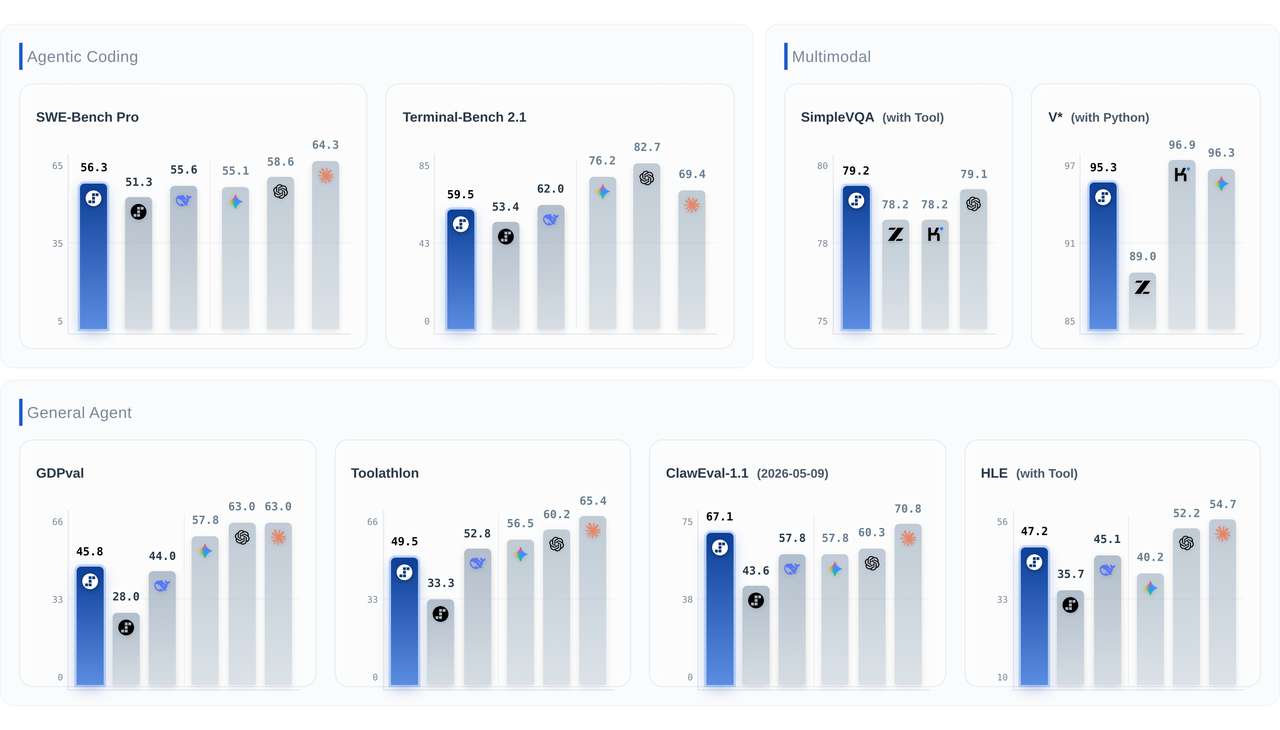 Step 3.7 Flash is Live on DeepInfra: An Agentic, Multimodal Model Built for ProductionStepFun's Step 3.7 Flash is now live on DeepInfra. It's a 198B-parameter sparse MoE vision-language model with just ~11B active parameters per token, a 256K context window, and three selectable reasoning levels—purpose-built for high-throughput agentic workflows that combine perception, search, and reasoning.
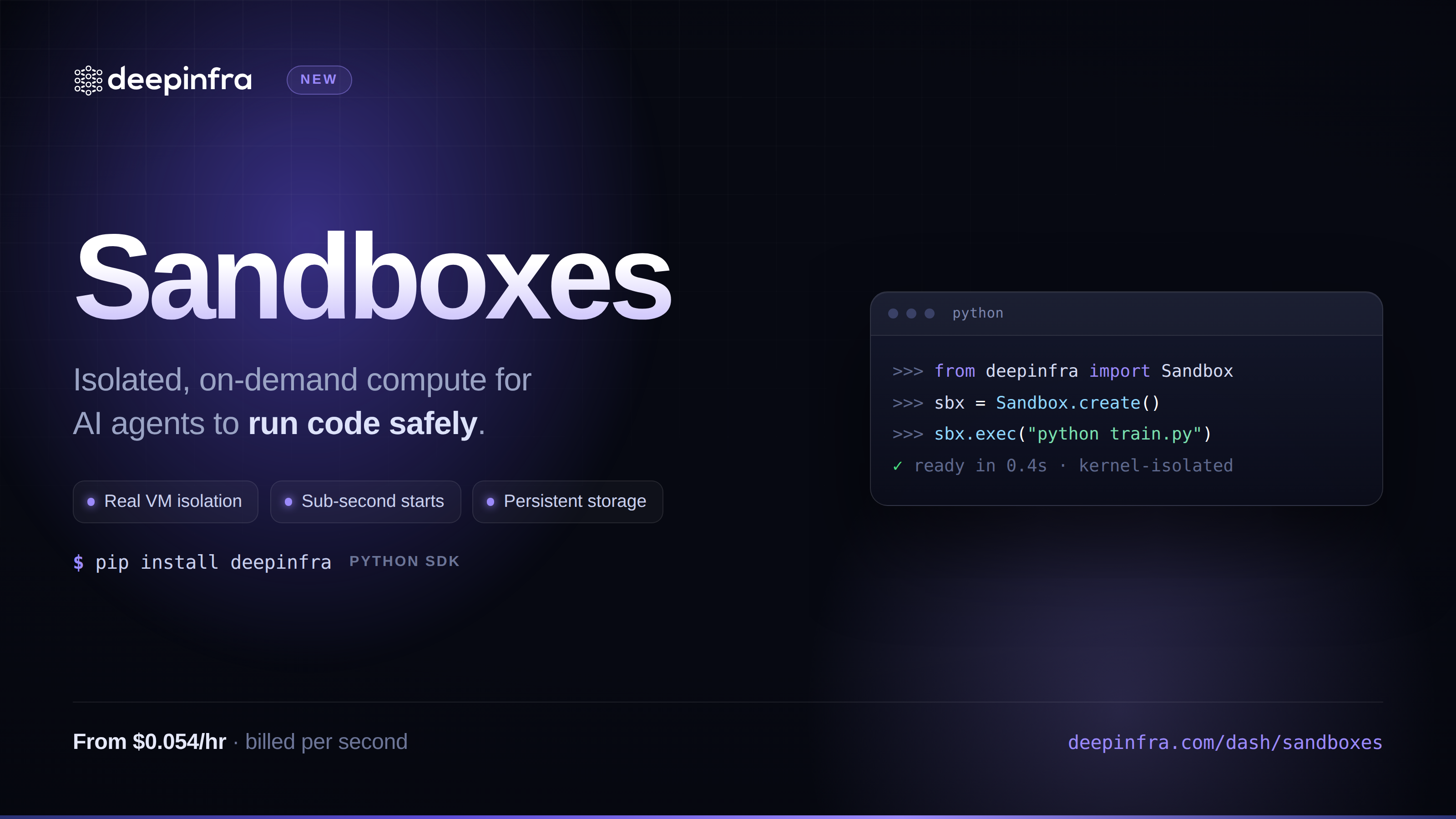 Sandboxes: give your agents a safe place to run codeIsolated Linux microVMs you can spin up with one API call: run bash or Python, move files in and out, pause and resume, tear down when you're done. Built for agents and pipelines that need to execute untrusted code without you having to run the infrastructure yourself.



© 2026 DeepInfra. All rights reserved.